Remote screen & control
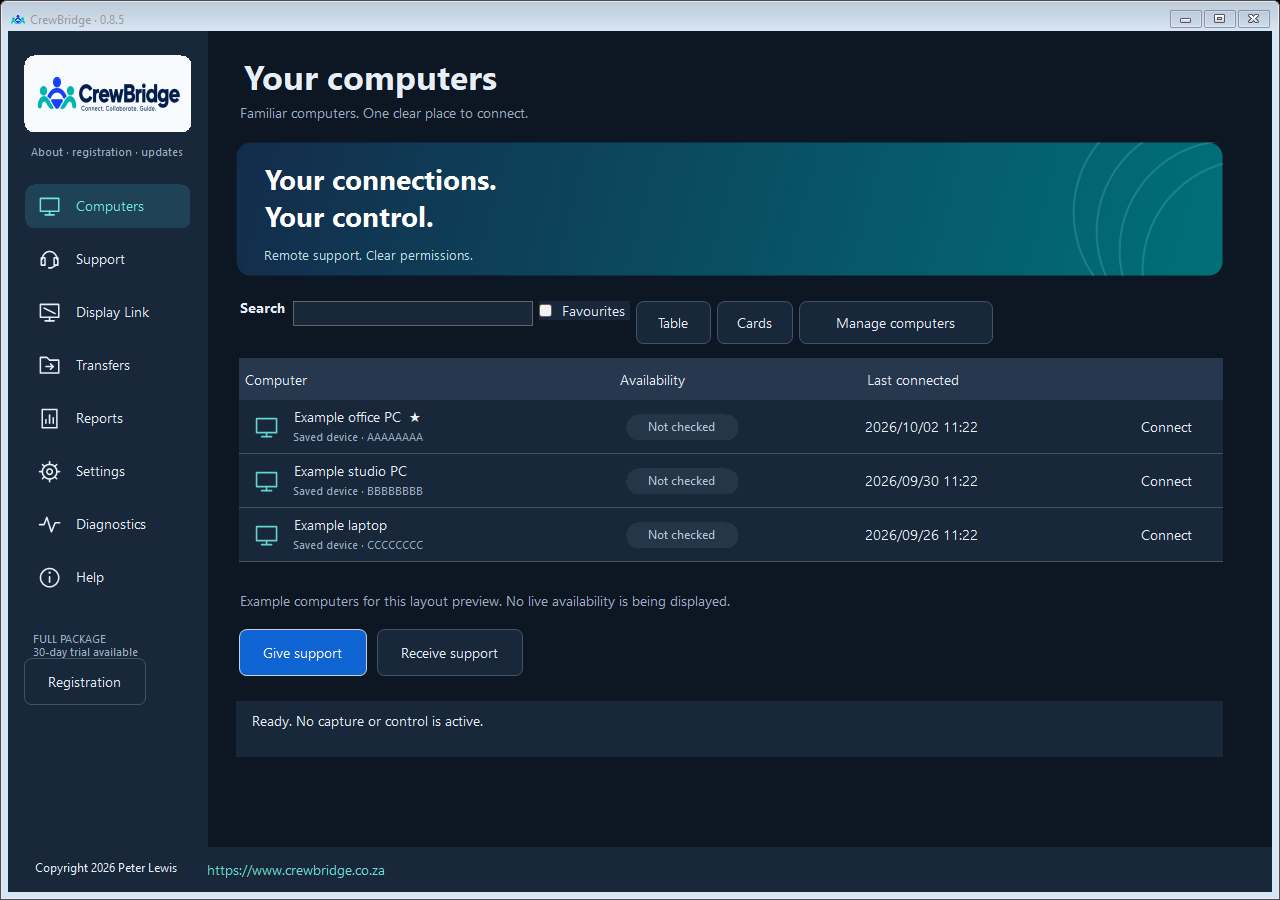
Share authorised Windows monitors and choose among them in the viewer. Mouse, keyboard, clipboard and files follow the sharing PC’s selected permissions.

WINDOWS PREVIEW · BUILT IN SOUTH AFRICA
Remote support with owner-controlled access. Extra Windows screens borrowed from other computers. Reports that help you understand the time and traffic behind the work.
One trial per computer. No payment details required.
Receive Support and Screen Donor are free after registration.
WORKING FEATURES
Choose what another computer can see or do. Keep useful records. Give your applications more room across an extended desktop.
Share authorised Windows monitors and choose among them in the viewer. Mouse, keyboard, clipboard and files follow the sharing PC’s selected permissions.
Approve a trusted computer, set days and hours, block dates, limit duration, and suspend or revoke access.
See the permission controls →Send and receive files through approved folders. Download, upload, subfolder access and folder management have separate controls.
Review approved outgoing sessions, start and end times, duration and outcome. Export a billing CSV and review interrupted rows.
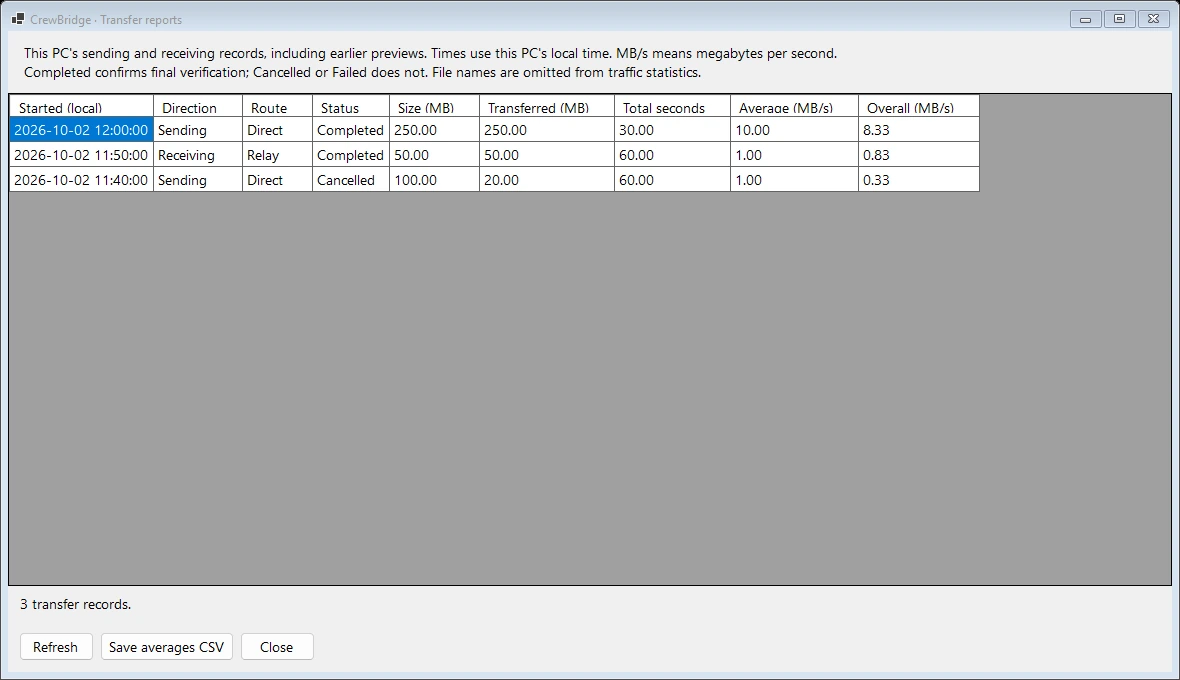
Explore session reports →Review transfer outcomes, bytes, routes and speeds. Inspect direct, relay and coordination traffic and save diagnostic reports.
See reports and logs →Use another Windows computer’s selected screen as part of your own extended desktop, with its owner’s approval.
Meet Display Link →Windows private preview · updated 2 October 2026. Screenshots show the real interface with example data. The Windows preview has a full 30-day trial and two free applications. Annual USD plans are announced; payment checkout is being prepared.
DISPLAY LINK HAS MOVED FORWARD
Your main PC runs the applications. Other computers lend physical screen space. Arrange the borrowed displays in Windows and move or stretch ordinary windows across them.
Three simultaneous donor computers have been demonstrated in the pilot, alongside three local monitors. Returning the middle loan left the other two working.
Resolution, reconnection and independent loans →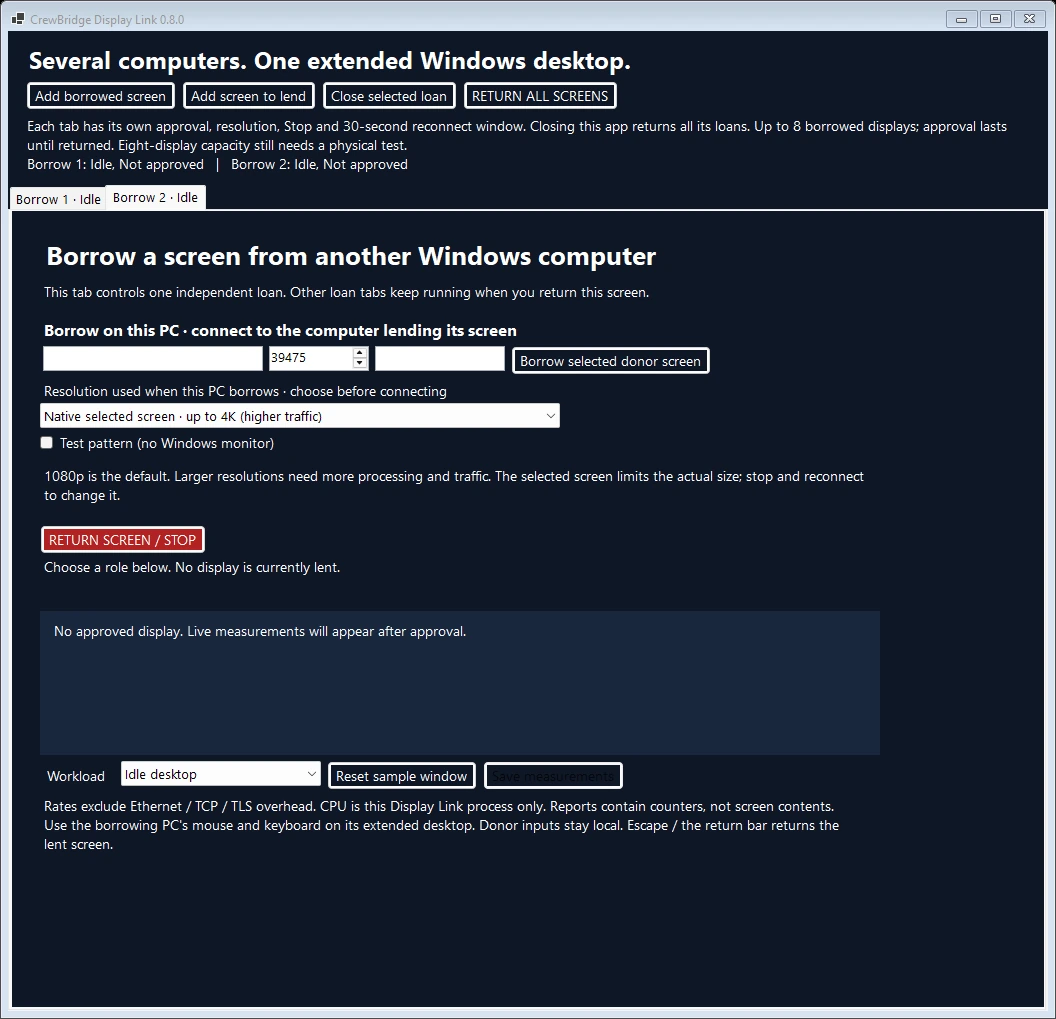
RECORD THE WORK
Reports stay on the computer until you choose to export or share them. Use them for support follow-up, time review and troubleshooting.
LET’S CONNECT
Ask about the Windows preview, permissions or the Display Link test programme.
YOUR ROLE. YOUR WORKSPACE.
Start with the full Windows experience, or choose a focused free app. Registration confirms your computer; you remain in charge of remote access.
Give and receive support. Save trusted clients. Borrow and lend screens.
30-day full trial
Then annual plans from $10 USD.
Invite your helper by email or WhatsApp. Choose permissions and revoke unattended access.
Free forever
Verified email registration.
Lend an available screen. Review the borrower and resolution. Return it whenever you need.
Free forever
Verified email registration.